ABC ID
The Academic Bank of Credits (ABC) ID functions as a digital "credit passbook" that revolutionizes student mobility in India by securely storing earned academic credits from various recognized institutions. Instead of being locked into a single university, this system allows you to accumulate credits like currency in a bank, giving you the freedom to "spend" them toward a degree even if you take a gap year or transfer to a different college.
This flexibility is powered by the APAAR ID (Automated Permanent Academic Account Registry), a unique 12-digit One Nation, One Student ID that acts as the official permanent identifier for your entire educational journey. By linking your APAAR ID to the ABC portal, all your verified milestones—from school reports to university credits—are consolidated into a single, lifelong digital record that eliminates the need for physical paperwork and ensures your hard work is never lost.
| Feature | Details in Short |
|---|---|
| Full Name | Academic Bank of Credits ID (often called APAAR ID). |
| What it is | A 12-digit digital account for your college credits. |
| Purpose | Digitally stores and transfers academic marks/credits. |
| Benefit | Allows you to switch colleges without losing progress. |
| Eligibility | All students in India (School to PhD). |
| Entry/Exit | Supports "Multiple Entry & Multiple Exit" from degrees. |
| Credit Validity | Credits usually remain valid for up to 7 years. |
| How to Create | Via abc.gov.in or the DigiLocker app. |
| Key Requirement | Requires an Aadhaar card linked to your mobile. |
| Cost | Completely Free of charge. |
Why Does Every Student Need an ABC ID?
The ABC ID isn't just another government number; it’s a tool for academic freedom. Here is why it’s a game-changer:
No More Lost Progress: If you need to leave college after your first year for personal reasons, your credits are safely stored. When you're ready to come back—even to a different university—you can pick up right where you left off.
The "Multiple Entry-Exit" Rule: You can exit a degree with a Certificate (after 1 year) or a Diploma (after 2 years) and return later to finish your full Degree. Your ABC ID makes this transition seamless.
A Single Source of Truth: No more carrying folders full of original marksheets. Your credits are digitally verified by your university and stored in one secure place.
Interdisciplinary Learning: Want to study Physics but take a credit-earning course in Music or Web Design from another platform like SWAYAM? Those credits can all live together in your ABC account.
Creating an ABC ID is now a standard requirement for almost all students in India. Whether you do it via the DigiLocker app or the official portal, the process is quick and completely paperless.
Here is your simplified, step-by-step guide to getting it done.
Create ABC ID Online
Method 1: Creating via DigiLocker (Recommended)
This is the most common method because it automatically links your ID to your digital documents.
-
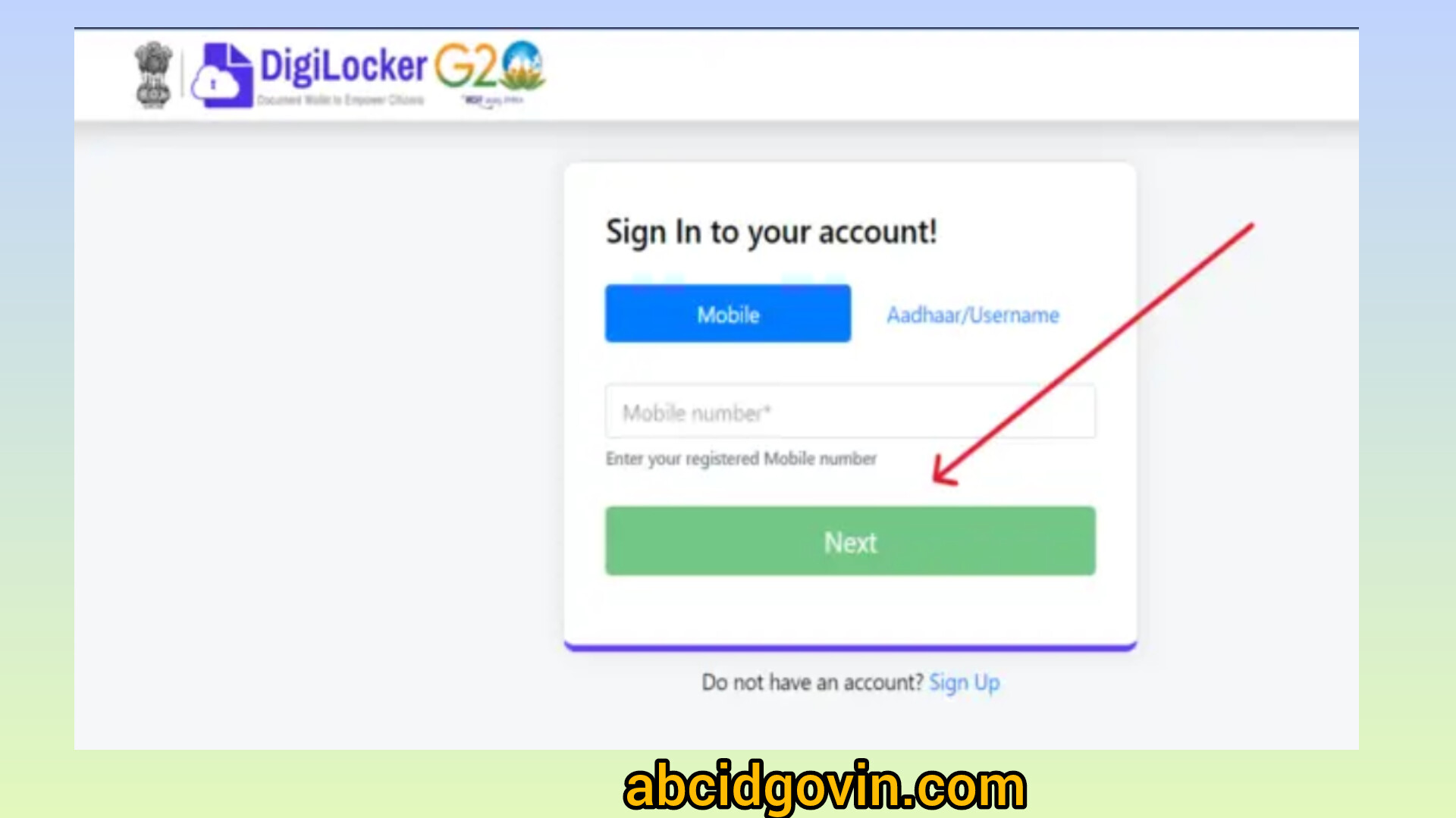
Login/Sign Up: Open the DigiLocker app or go to
digilocker.gov.in.
Use your mobile number and Aadhaar for a quick login.
-
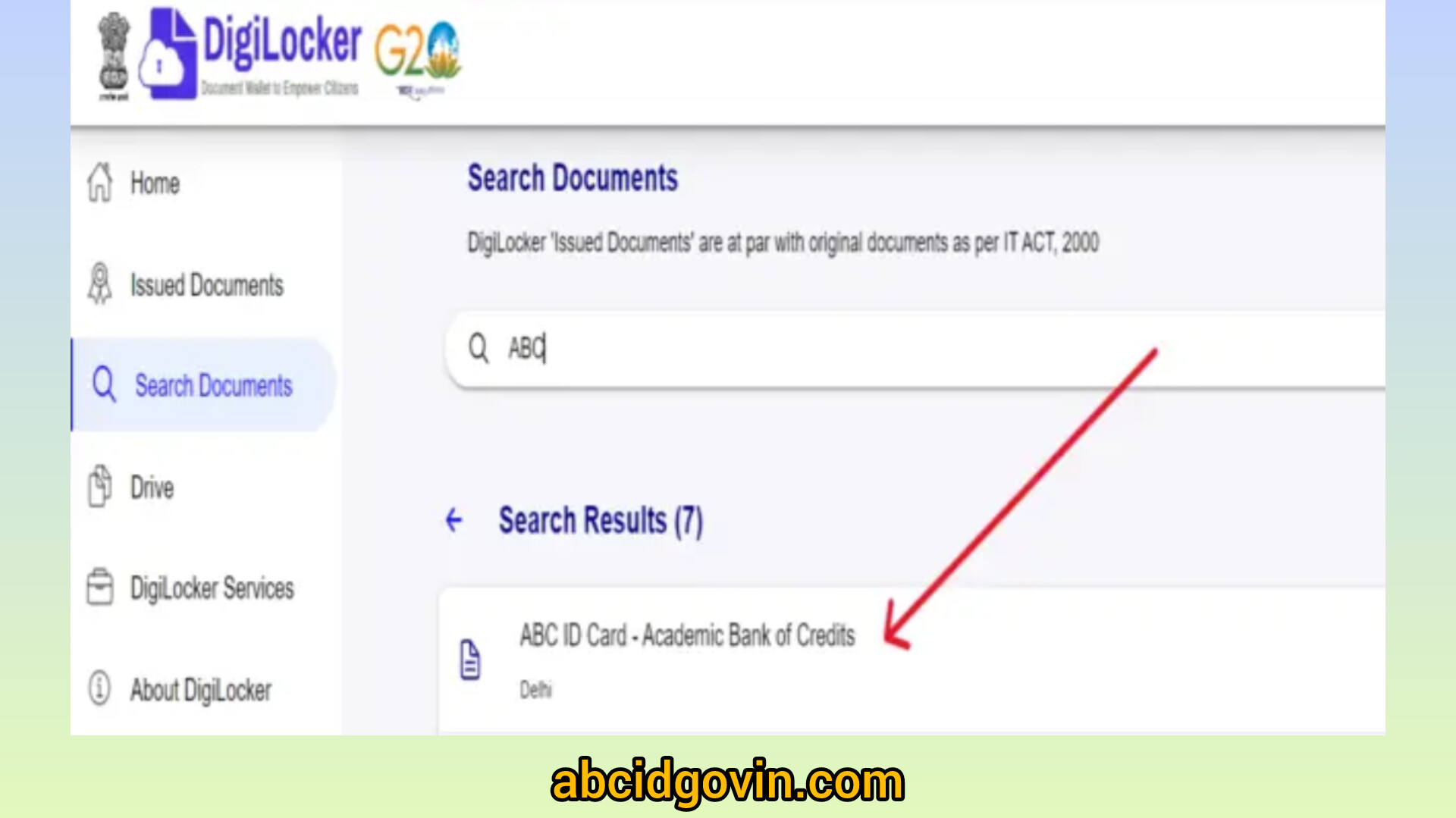
Search for Document: Go to the "Search Documents" tab and type
"APAAR/ABC ID Card".
-
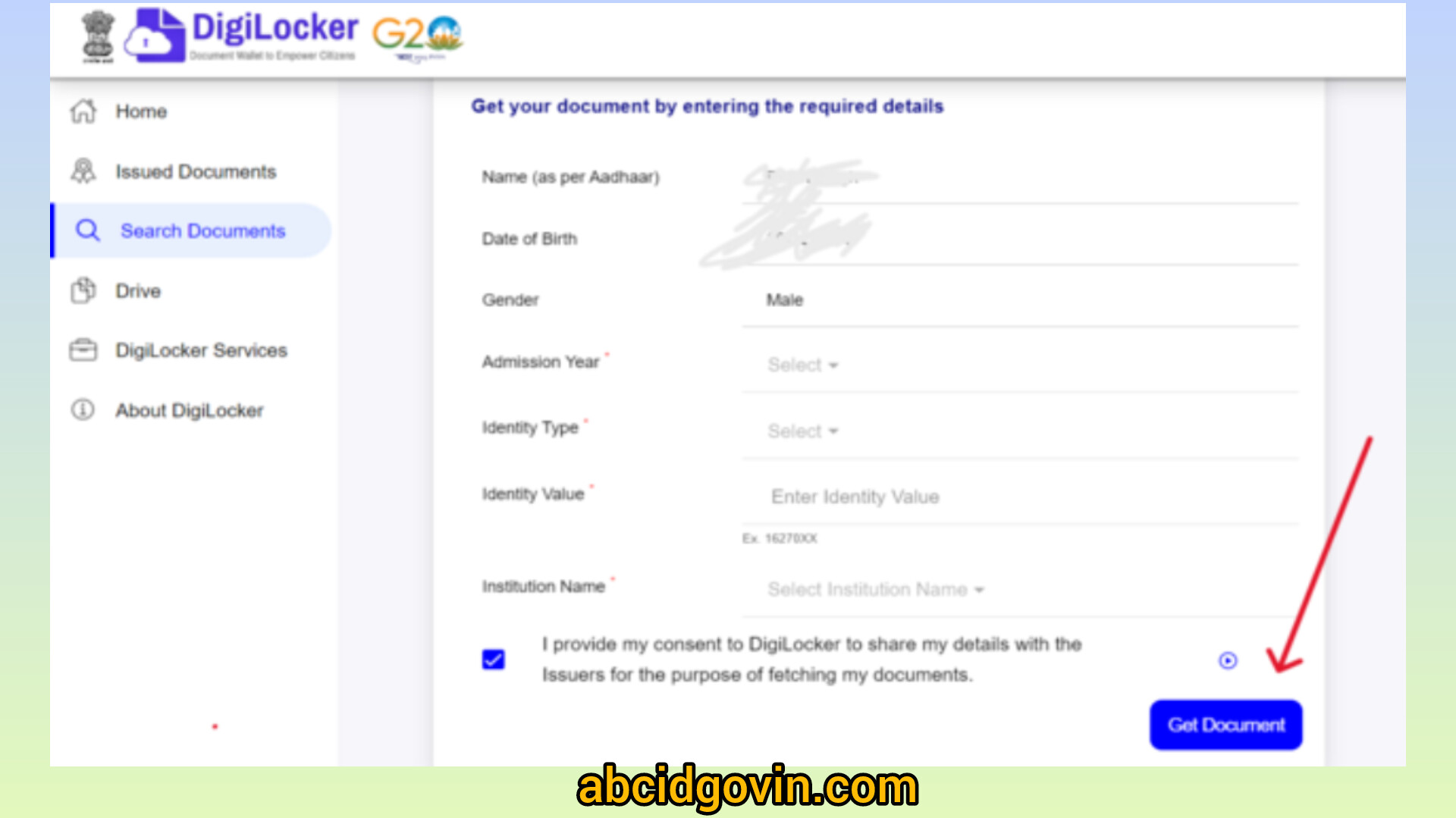
Enter Academic Details:
- Admission Year: Select the year you started your current course.
- Identity Type: Choose from Roll Number, Registration Number, or Enrollment Number (use "New Admission" if you don't have these yet).
- Identity Value: Enter the number corresponding to the type you selected above.
- Institution Name: Search and select your University or College from the list.
-
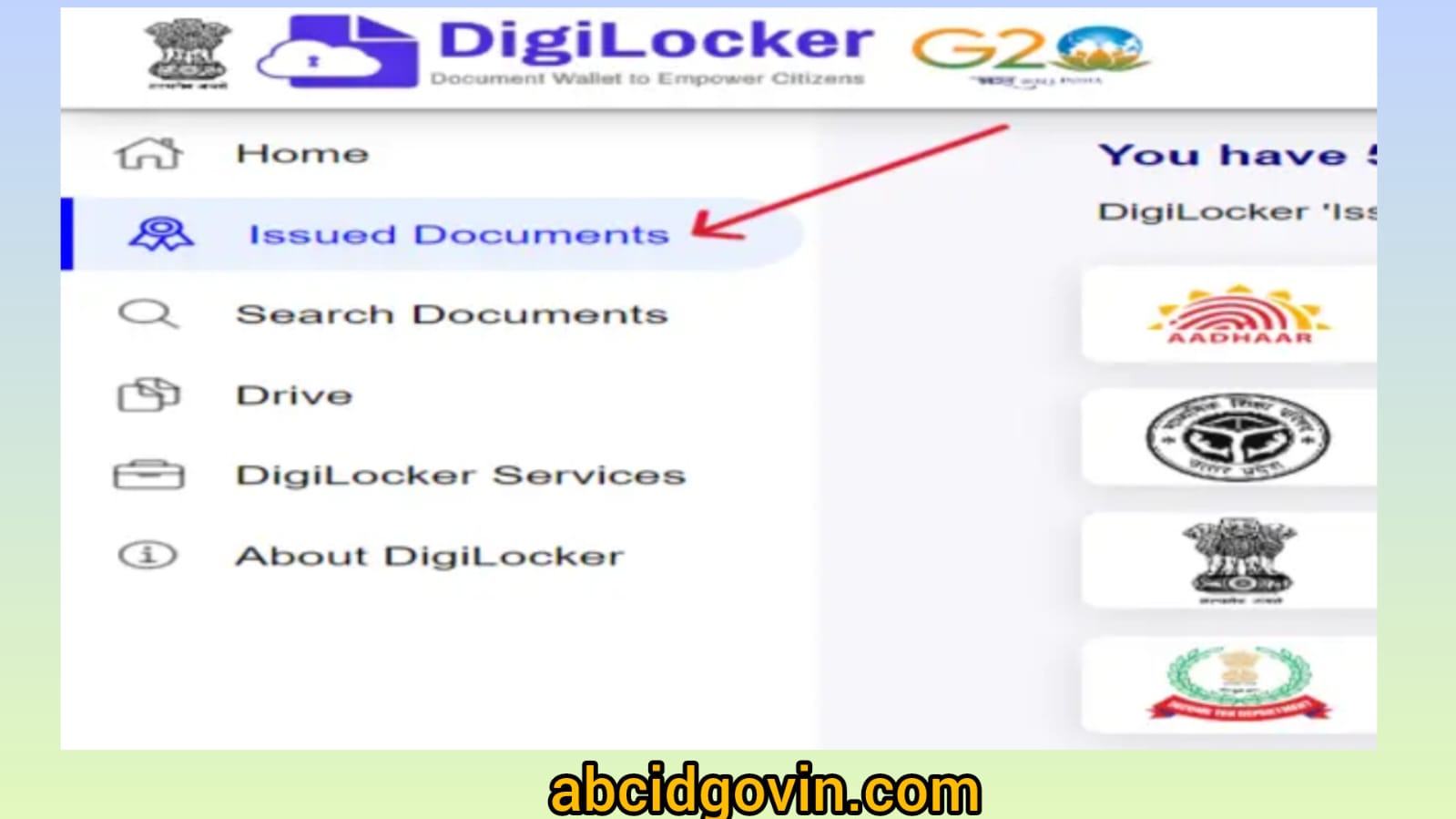
Get Document: Click "Get Document." Your 12-digit ABC ID will be generated and saved in your "Issued Documents" section.
Method 2: Creating via the ABC Portal
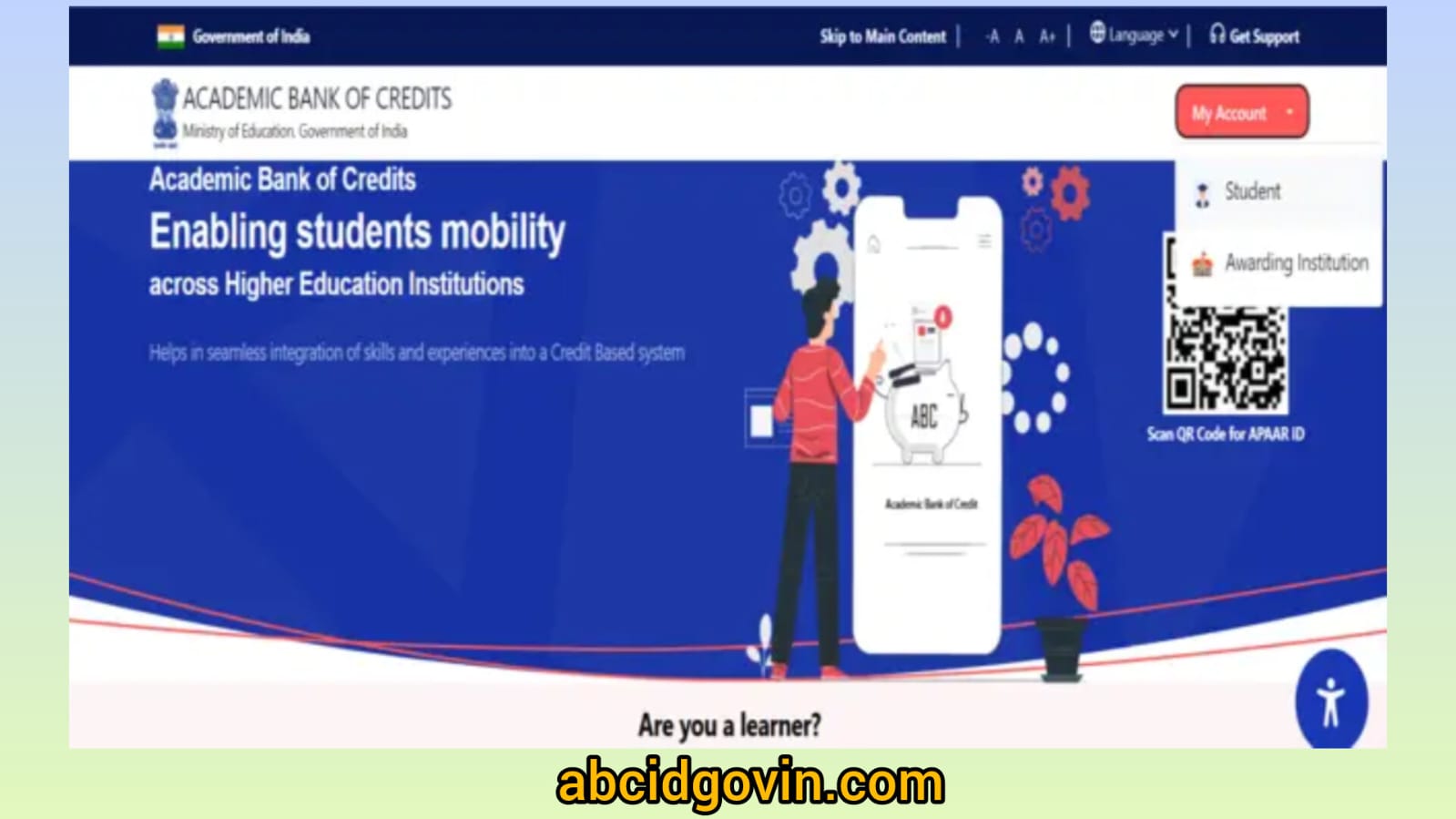
- Go to abc.gov.in.
- Click on "My Account" (top right) and select "Student."
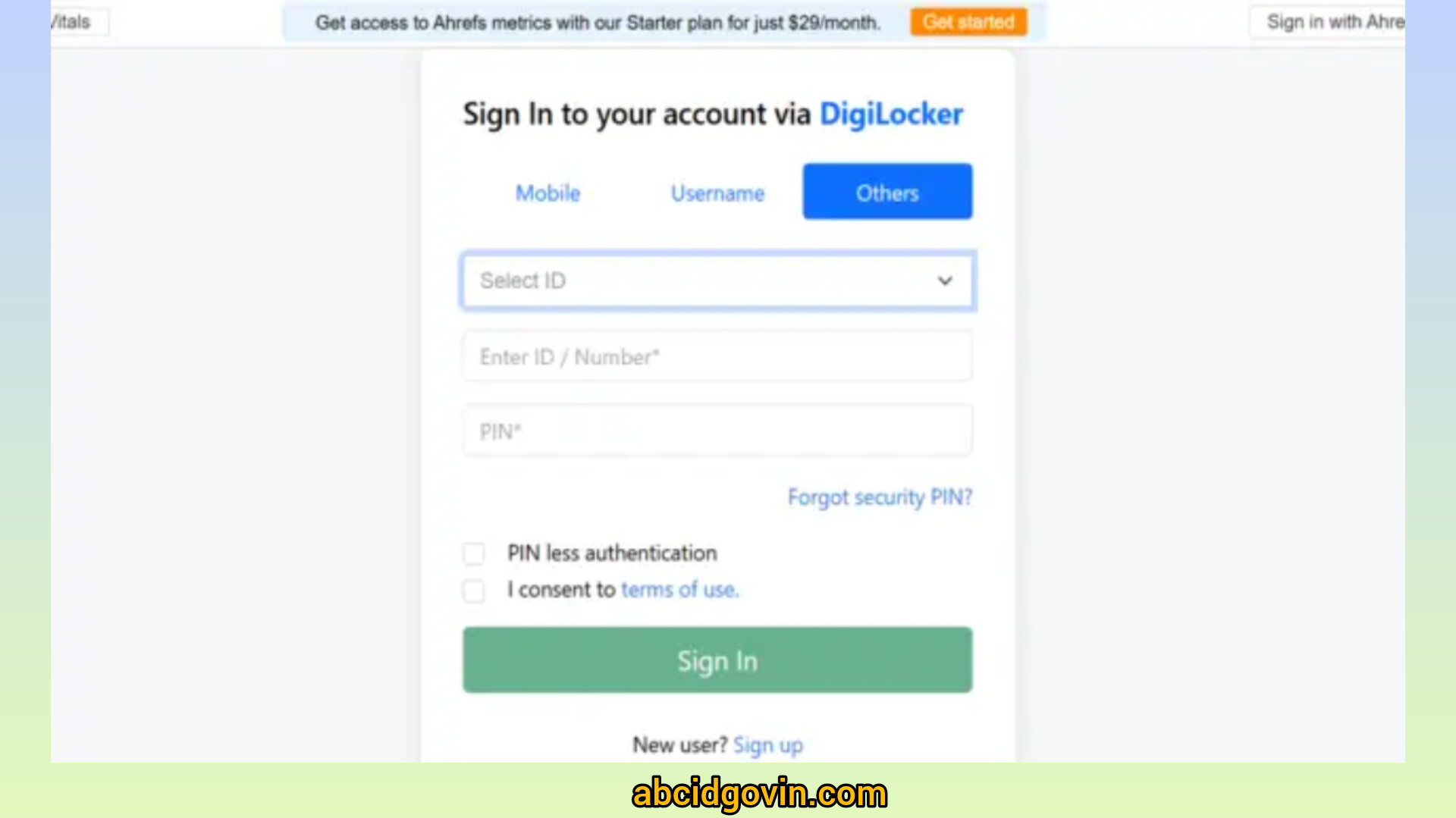
- Log in using your DigiLocker credentials (mobile/Aadhaar and your 6-digit PIN).
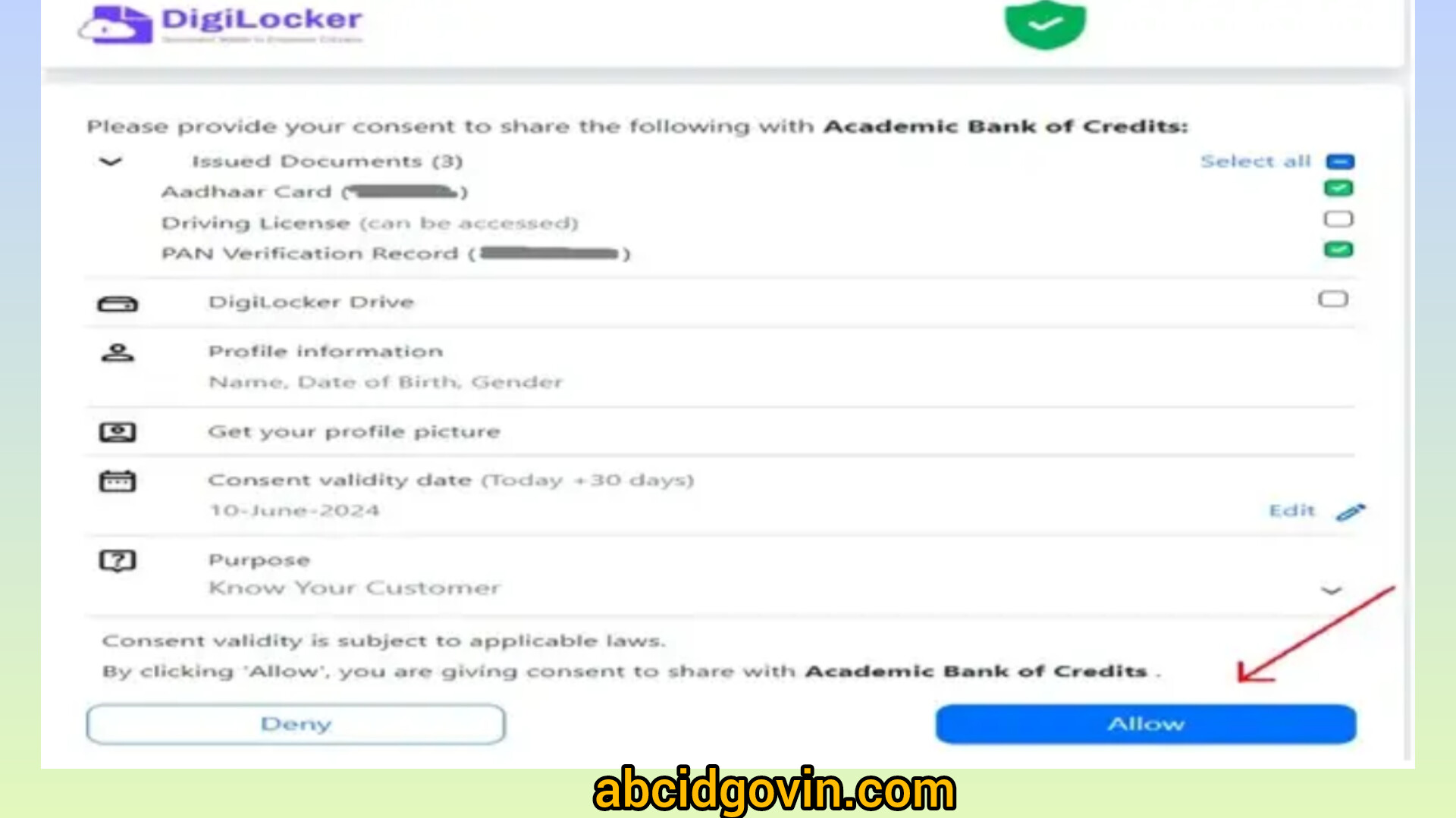
- Provide consent to share your Aadhaar details with the Academic Bank of Credits.
-
Follow the prompts to enter your college/university details and click "Submit."
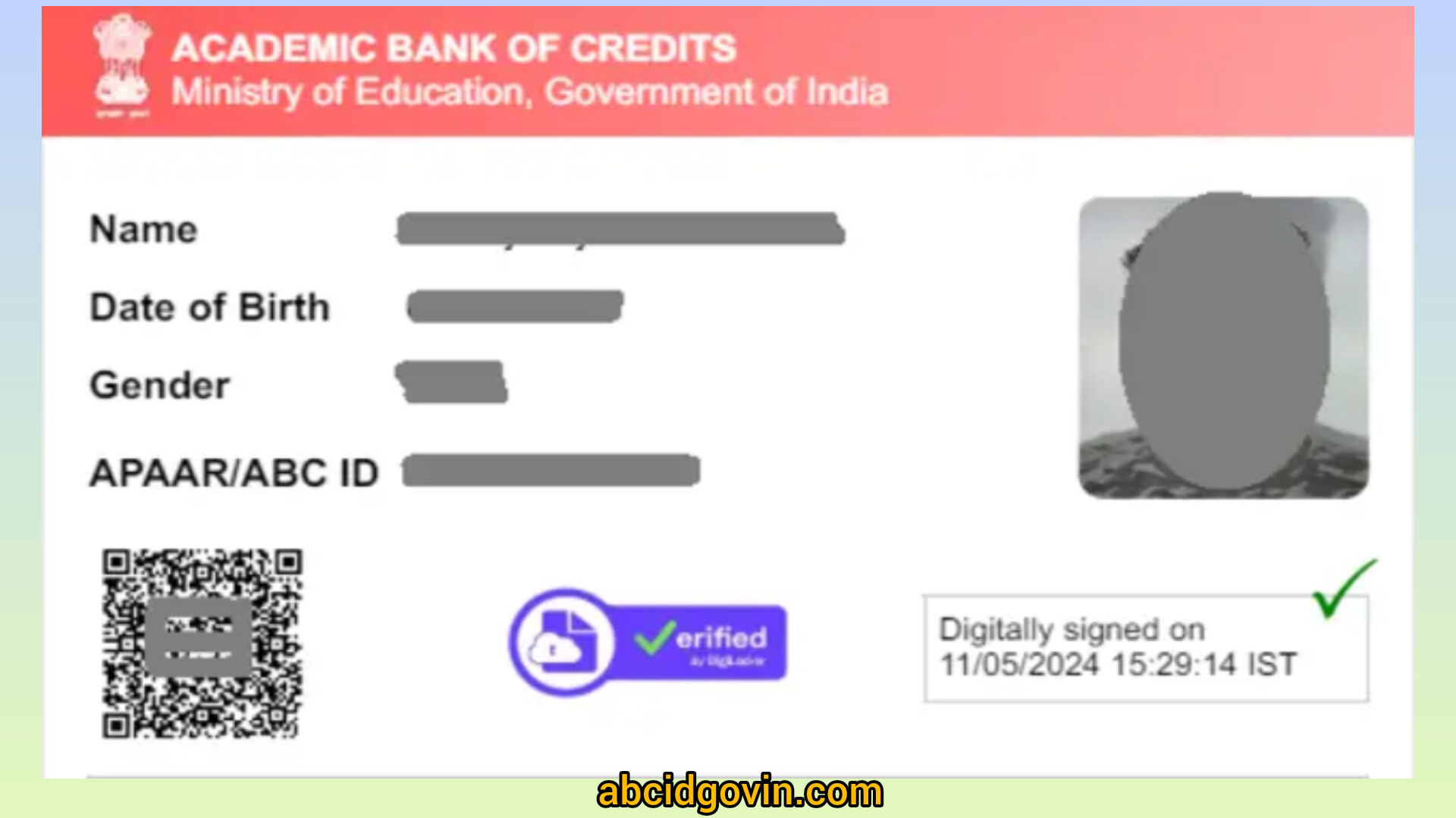
Your ID will appear on your dashboard.
Important Points
- The Aadhaar Connection: Make sure your Aadhaar is linked to your current mobile number. You will need to receive an OTP (One-Time Password) to verify your identity.
- APAAR vs. ABC: Don't be confused if you see the term "APAAR ID." They are essentially the same 12-digit number. Think of APAAR as your lifelong student identity card, while ABC is the specific "bank" that tracks your credits.
- Keep it Handy: Once generated, download the PDF of the card. Most colleges will ask for the 12-digit number or a copy of the card during exam registration.
Requirements for ABC & APAAR ID Registration
| Category | Required Information / Document | Why it’s Needed |
|---|---|---|
| Primary Identity | Aadhaar Card | To verify your identity and auto-fetch your name, DOB, and gender. |
| Verification | Aadhaar-Linked Mobile Number | To receive the OTP (One-Time Password) required for secure login. |
| Educational Detail | Institution Name | To link your ID to your current school, college, or university. |
| Academic Record | Admission Year | To track when your current academic journey began. |
| Identity Proof | Roll No. / Enrolment No. | To uniquely identify you within your university's database. |
| Consent (Minors) | Parental Consent | Required for students under 18 to allow schools to generate the ID. |
Common Problems & Solutions
1. The "Missing University" Mystery
The Problem: You type your college name into the search bar, but nothing shows up.
The Solution: Many students search for their specific local college (e.g., "Greenfield Arts College"). However, the ABC system usually lists the Affiliating University (e.g., "University of Delhi"). Try searching for the main university your college is connected to. If your college is "Autonomous," then it should appear under its own name.
2. The OTP Deadlock
The Problem: You’re waiting for that 6-digit code to arrive on your phone, but your screen stays blank.
The Solution: This usually happens if your Aadhaar is linked to an old phone number you no longer use. You can check which number is linked by visiting the UIDAI (Aadhaar) website. If the number is correct and it's still not working, try the process late at night or early in the morning when the government servers are less crowded.
3. "Data Mismatch" Errors
The Problem: You get an error saying your details don't match.
The Solution: The ABC system is very picky. Your name and Date of Birth (DOB) on your Aadhaar must exactly match what is in your college records. Even a small spelling difference like "Vikas" vs "Vikash" can break the link. If there's a mistake, you'll need to update your Aadhaar details first to match your school certificates.
4. The "Empty Bank Account" Panic
The Problem: You successfully created your ID, but your credit balance shows "Zero."
The Solution: Don't worry, you haven't "lost" your marks! You cannot upload credits yourself. Your University/College is responsible for uploading them. If your ID is new, it might take a few weeks (or until the next semester results are out) for your college to sync your data to your ID.
5. Selecting the Wrong "Identity Type"
The Problem: The form asks for "Identity Type" (Roll No, Reg No, Admission No), and you aren't sure which one to pick.
The Solution:
- Current Students: Use your University Roll Number or Registration Number found on your marksheet.
- New Students: If you just joined and don't have a roll number yet, select "New Admission" or "None" if the option is available. Using the wrong number here is a common reason for registration failure.
ABC Official Contact Directory
| Contact Type | Details |
|---|---|
| Official Website | abc.gov.in |
| Support Email | support.abc@digitalindia.gov.in |
| DigiLocker Support | support.digilocker.gov.in |
| Helpline Number | +91-11-24303714 (General DigiLocker/ABC queries) |
| Social Media (X/Twitter) | @App_ABC or @digilocker_ind |
| Office Address | National e-Governance Division (NeGD), 4th Floor, Electronics Niketan, 6 CGO Complex, Lodhi Road, New Delhi - 110003 |
FAQ's
1. Is the ABC ID mandatory for all students?
Yes. Under the National Education Policy (NEP) 2020, the University Grants Commission (UGC) has made it compulsory for students in higher education. Most universities now require your 12-digit ABC ID for admission, exam registration, and even to receive your final degree.
2. Can I have more than one ABC ID?
No. Your ABC ID is uniquely linked to your Aadhaar card. Just like you can't have two PAN cards, you should only have one ABC ID. If you accidentally create a second one, the system usually defaults to the one linked to your verified DigiLocker account.
3. How long are my credits valid?
Your credits aren't permanent—they have a "shelf life." Generally, credits stay valid for 7 years from the date you earn them. This means if you take a break from studies, you need to return and "redeem" those credits for a degree within that 7-year window.
4. Can I upload my own credits or marksheets?
No. You cannot manually add credits to your account. Only verified academic institutions (colleges and universities) have the authority to upload credits to your ID. This ensures the data is authentic and prevents fraud.
5. What if I lose my login details?
Since your ABC ID is part of the DigiLocker/MeriPehchaan ecosystem, you can easily recover it. Just go to the portal and click "Forgot Security PIN" or "Forgot Username." As long as you have access to your Aadhaar-linked mobile number, you can reset your access in minutes.
6. What is the difference between ABC ID and APAAR ID?
This is a common point of confusion.
- APAAR ID is your "Permanent Identity" (your student account number) that stays with you from school to college.
- ABC ID is the "Digital Vault" (the bank account) where your college credits are actually stored.
- In short: In 2026, they are often used interchangeably, and your 12-digit number serves both purposes.